
Submitted by Sara on 16 September 2009 - 7:48pm
Designer:
Diaz, Roman
Folder:
Adams, Sara
Difficulty Level:
Intermediate
Model type:
Birds
Paper ratio:
Square
Review of the paper used:
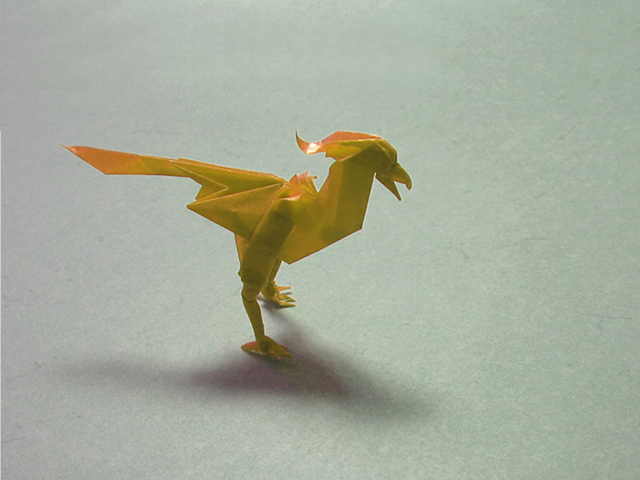
Paper: 19.5cm square of transparent paper
Model: 7cm high, 10cm long, 3.5cm wide
Comments
Submitted by Anonymous (not verified) on 21 September 2009 - 6:07am Permalink
coool!!
i sarah can yo make a video of this one ???
i hope you can please!
by the way keep on foldin you are a great teacher!!!
thanks to you i'm a high intermediate
Submitted by Anonymous (not verified) on 28 February 2010 - 1:21pm Permalink
good fold
good fold
im about to fold myne!
Submitted by Anonymous (not verified) on 25 May 2010 - 4:31pm Permalink
Help!!!!
Sara could you help me a bit ?I stuck at step 43 I don't understand what layer i suppose to free and to get that white triangle on the next step
Submitted by Sara on 27 May 2010 - 6:15am Permalink
Small clarification
Ha, if I remember correctly that step gave me a hard time, too. I haven't folded this in a long while now, and only did so twice back then. But if I remember correctly, this might help:
In step 43 the arrow points upwards, thus implying that you unfold the top layer. If you look at step 44 you will see that the top right corner of step 43 isn't in the top, though, but has moved a bit down and left. So rather than unfolding upwards, just pull out the layer towards yourself. The model will be 3D.
Hopefully this will get you going,
-- Sara
Submitted by Anonymous (not verified) on 30 June 2010 - 1:18pm Permalink
Video
Hi Sara , Can you make a tutorial for this to please it's wonderful .I know i'm very boring but i like your folding. Good Bye
NAGASHI ^^
Submitted by Sara on 8 July 2010 - 8:40am Permalink
Will have to think about it
Hm, not sure about this one. I'll have to fold it again, and if I think it's doable contact Roman Diaz. I remember it had some tricky steps, and I'm not sure whether it's a bit too hard to demonstrate in a video. I'll have to check first. I fear I've been very busy lately and will be in the months to come, so even just deciding (i.e. finding time to fold it - or anything really) is going to take some time.
-- Sara
Submitted by Mihaela7 (not verified) on 27 June 2013 - 5:37pm Permalink
Phew... I was also stuck on
Phew... I was also stuck on step 43 but thanks to your comment I did it, thanks!
Add new comment